How to delete a Skool group?
To delete your group, you'd need to ensure two things:
A. You (group creator) are the only one left in the group.
B. The group is archived. Group archives at the end of the billing cycle after cancellation.
Here's how to delete your group:
- Navigate to your group SETTINGS > Billing > Manage subscription.
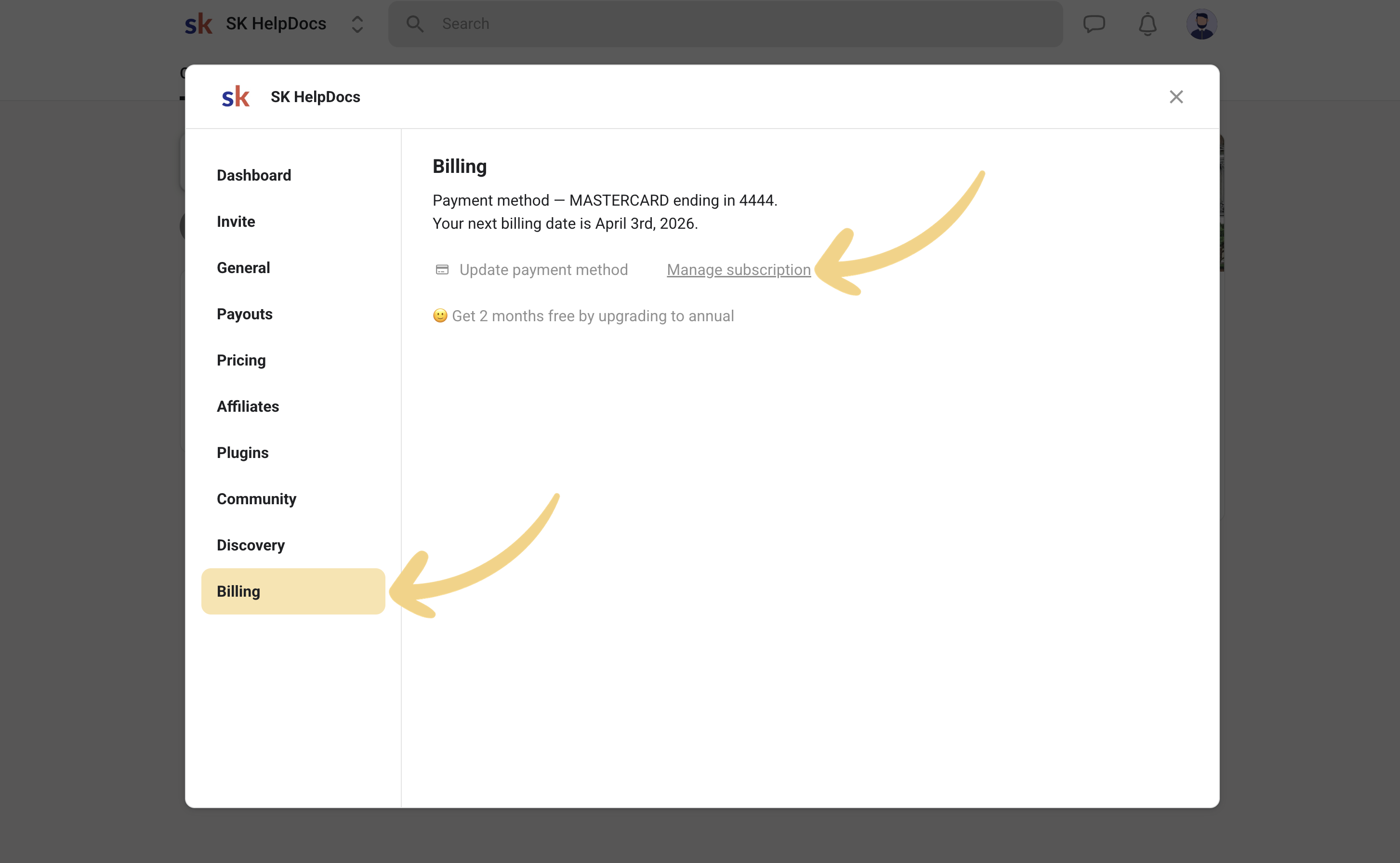
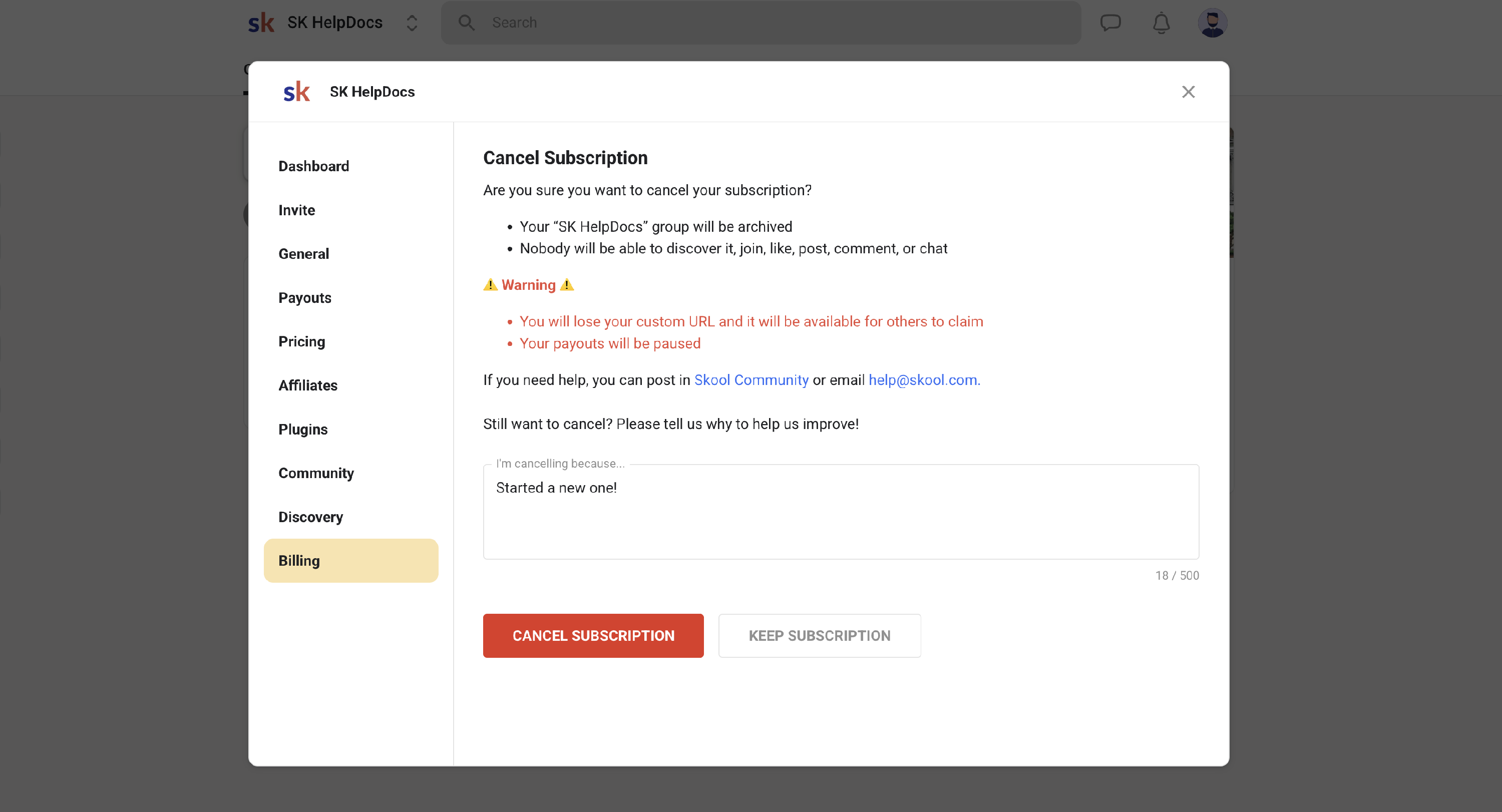
- Proceed to cancel, and let the group archive. The group will archive at the end of the billing cycle.
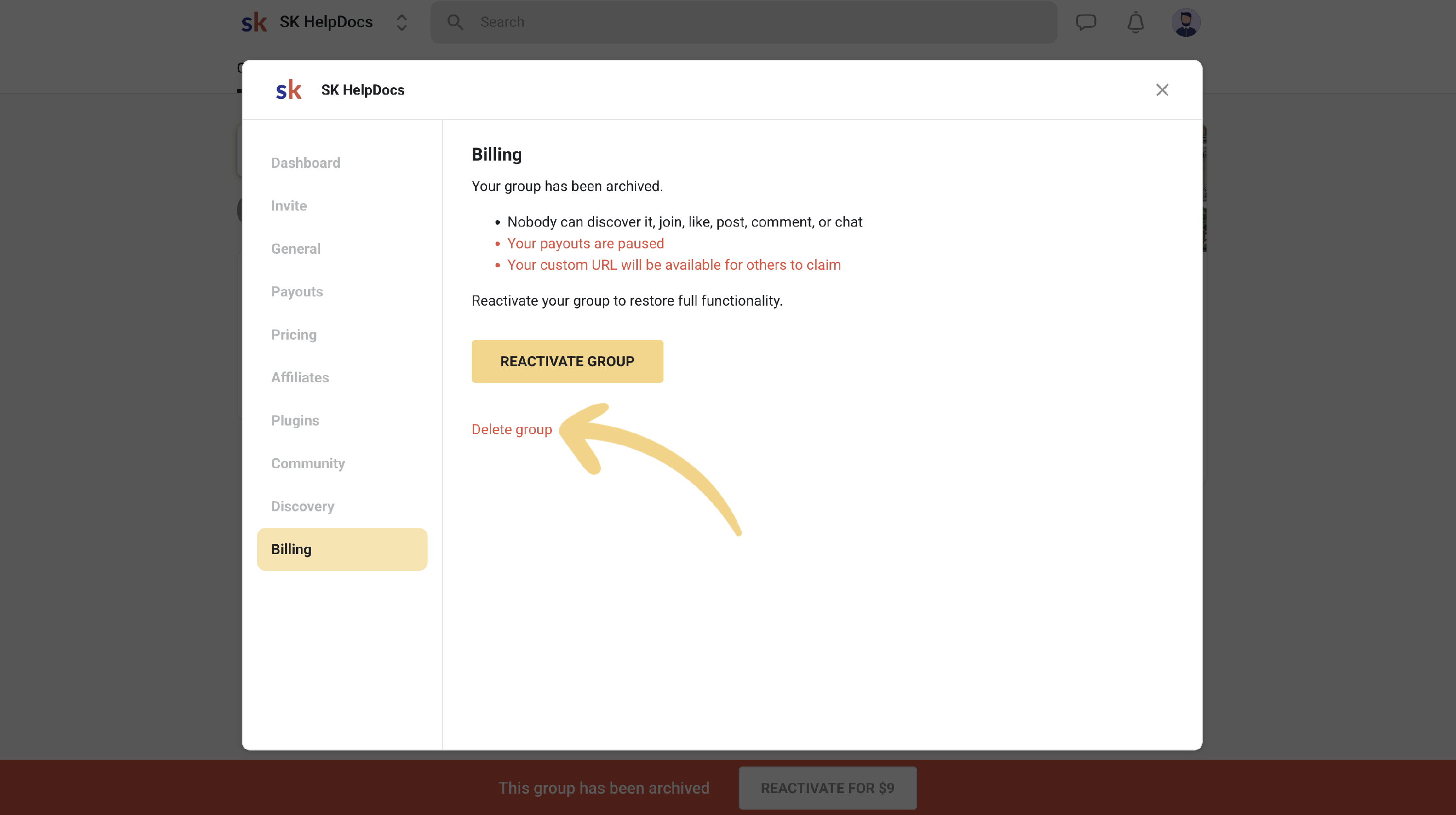
- Once the group is archived, navigate to SETTINGS > Billing > Delete group
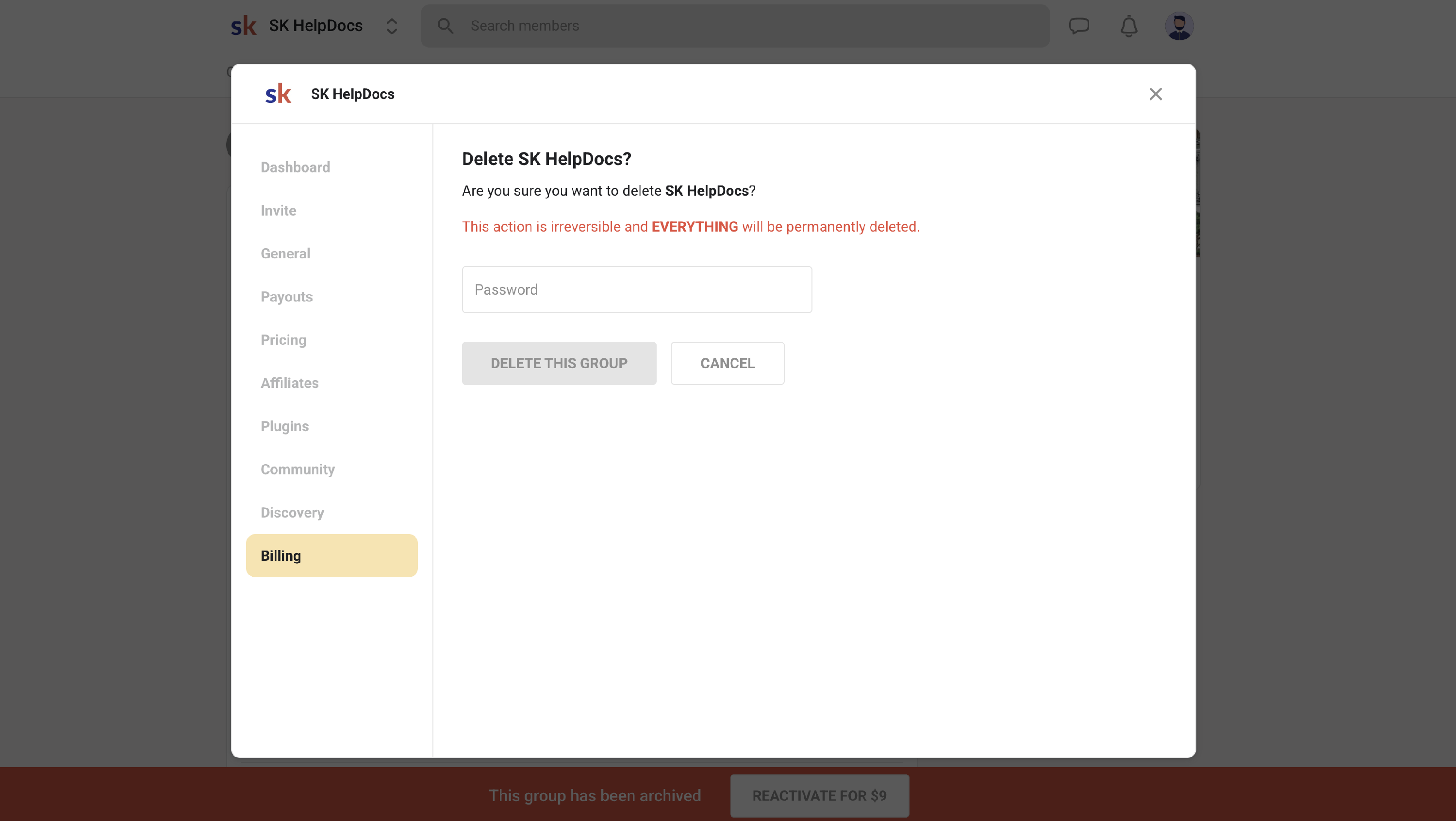
Note: In most cases, you'd just want to cancel your subscription to stop the billing. Deleting the group isn't a required step.