Traffic Sources & Growth Boost
A user who visits/joins your community can be categorized into one of the following traffic sources.
- Invite: When a community admin sends an email invite to a user, and they join using the invite link.
- Affiliate: When a user joins using a non-admin membership affiliate link
- Skool network: When a user finds your community through a structured Skool channel, such as Discovery, the recommended groups sidebar, or Skool’s paid ads.
- External website: When a user joins from a link on another website. While a category, these will display specifically as the external site being used to access your community. Examples include a user coming from a link on social media posts (e.g., Facebook) or from your own website.
- Direct: When a user enters the community link directly, email broadcasts, or a redirect link/URL shortener. For optimal tracking accuracy, use your about page link directly. Link in bio tools, redirects, URL shorteners, etc., strip traffic sources and show up as direct.
The Growth tab in the community admin settings shows the last 30 days of data in near real-time.
Attribution model:
Skool follows last-touch attribution. The most recent traffic source when a member joins is counted. Skool prefers the touch that closed the sale as compared to multiple view-throughs in the user journey prior to the sale. Each user has multiple touchpoints in their discovery-to-sale journey. Whichever link they click at the end is awarded the attribution touch.
Examples:
- If a user sees an ad for your group, checks out the creator's Instagram profile, and joins the group via the link in the bio, Instagram will be assigned as the attribution.
- If a user sees multiple ads, gets multiple emails, and gets referred by an affiliate of the group, the affiliate member of the group will be attributed.
- If a user receives emails and reads posts on X and Facebook, but then ultimately joins the group from the ad run by Skool for your group, then Skool Network will get the attribution.
Attributions are immutable. Skool cannot change once the attribution is locked.
Attribution window
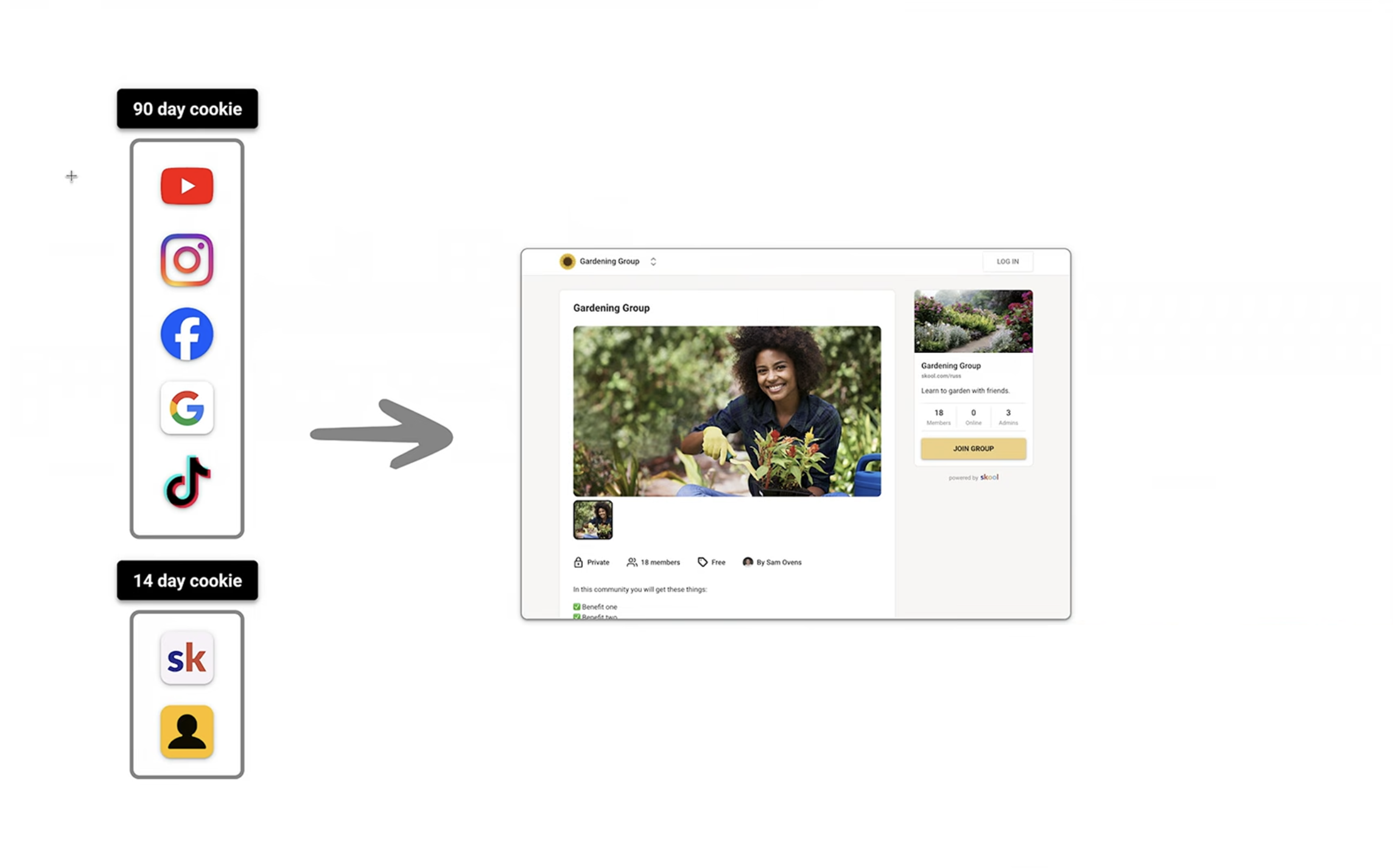
90 days for all other sources. 14 days for Skool Network & Affiliates.
Visitors
Visitors are any non-members (whether authenticated or not) who visit your community. For the traffic source view, each visitor will only be counted once per traffic source.
Signups
Sign-ups are those who join your community and are approved for entry.
- Sign-ups on free trials are also included, even if they leave before their trial ends
- Sign-ups are attributed to a single traffic source based on the prioritization above
Conversion Rate
Conversion rate is the number of sign-ups coming from a traffic channel divided by the number of visitors from that same channel during the time period.
What is growth boost?
Example: If Skool brings you a paid customer and your group price is $10, Skool deducts $3 and fees, depending on the selected plan. If you bring your own customer, Skool only deducts the processing fees.
Growth Boost is default ON. It can be toggled OFF at any time from SETTINGS > Discovery. The Growth Boost cut applies to recurring charges, as long as the member's subscription is active.

Note that product support cannot re-assign/add affiliate attribution to any user at all. The affiliate and Growth Boost system is end-to-end automated.
How to maximize Growth Boost?
- Create a great About page. More info here.
- Drive traffic to your About page. Share your About page everywhere - on your socials, emails, etc. Put the About page link in all your social bios.
- Generate stats such as Traffic, Signups, and Retention. Let the Growth Boost algorithm get a signal that the group's conversion and retention are good.
- Give it some time. We see that within 2-4 weeks, the Growth Boost boosts the group!
Growth Boost is not recommended for high ticket sales. Toggle it off if you sell members via a sales call or via a sales funnel.
Boost FAQs
Can Growth Boost slow down?
Yes - Growth Boost Skool Ads may slow down due to one or all of the below:
- Stats aren't good enough for ads (improve stats and/or boost %)
- System hasn't found/promoted the group yet
- Ads were working but fatigued
How is Efficiency calculated?
Its based on group’s ability to convert visitors into customers and retain them over time. Effectively, Skool is looking for conversion rate, price, retention, and growth boost %
What all encompasses Skool Network?
Skool Network comprises of:
- Top of search results for keywords your ideal customers are searching for
- Boost visibility through other groups and profiles.
- Skool's off-site ads to promote your community.
Does changing the Boost % affect existing members?
Changing your growth boost % doesn’t apply to existing customers, they’re grandfathered at the % they joined at.