How to add Loom videos?
Here's how to add Loom videos in Skool, and also some best practices.
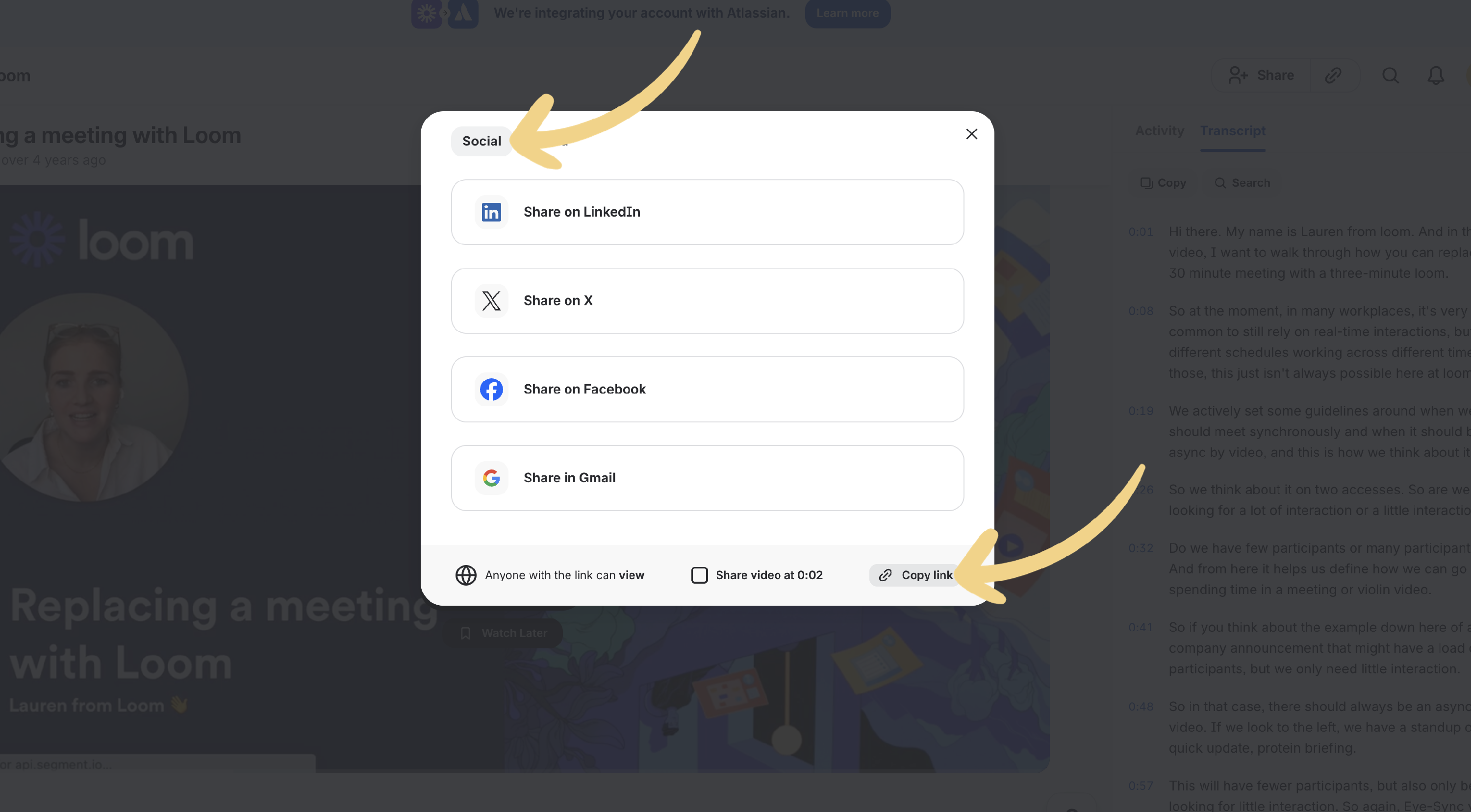
- Within your Loom video, copy the Loom link from the social tag.
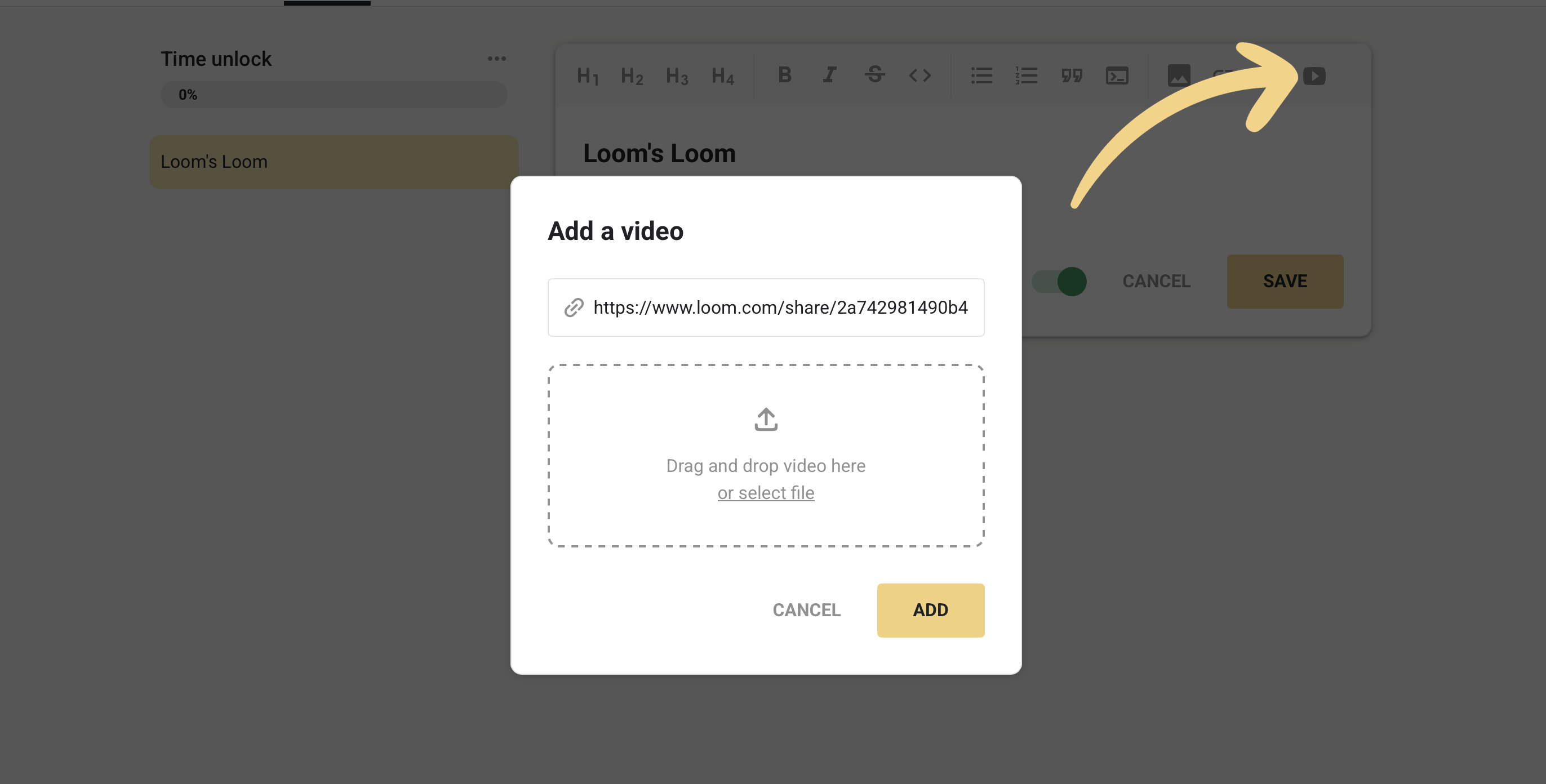
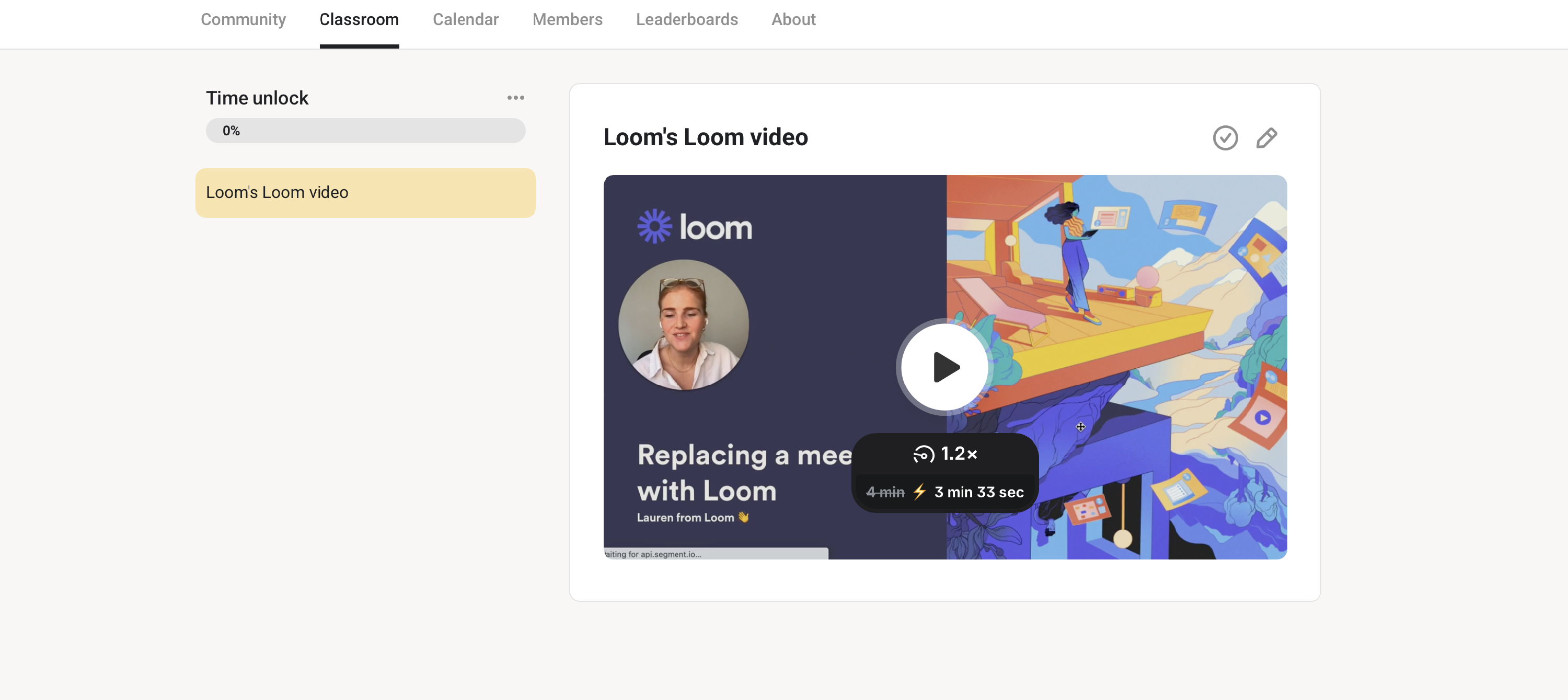
- Paste it in the edit view of the page, in your Classroom course
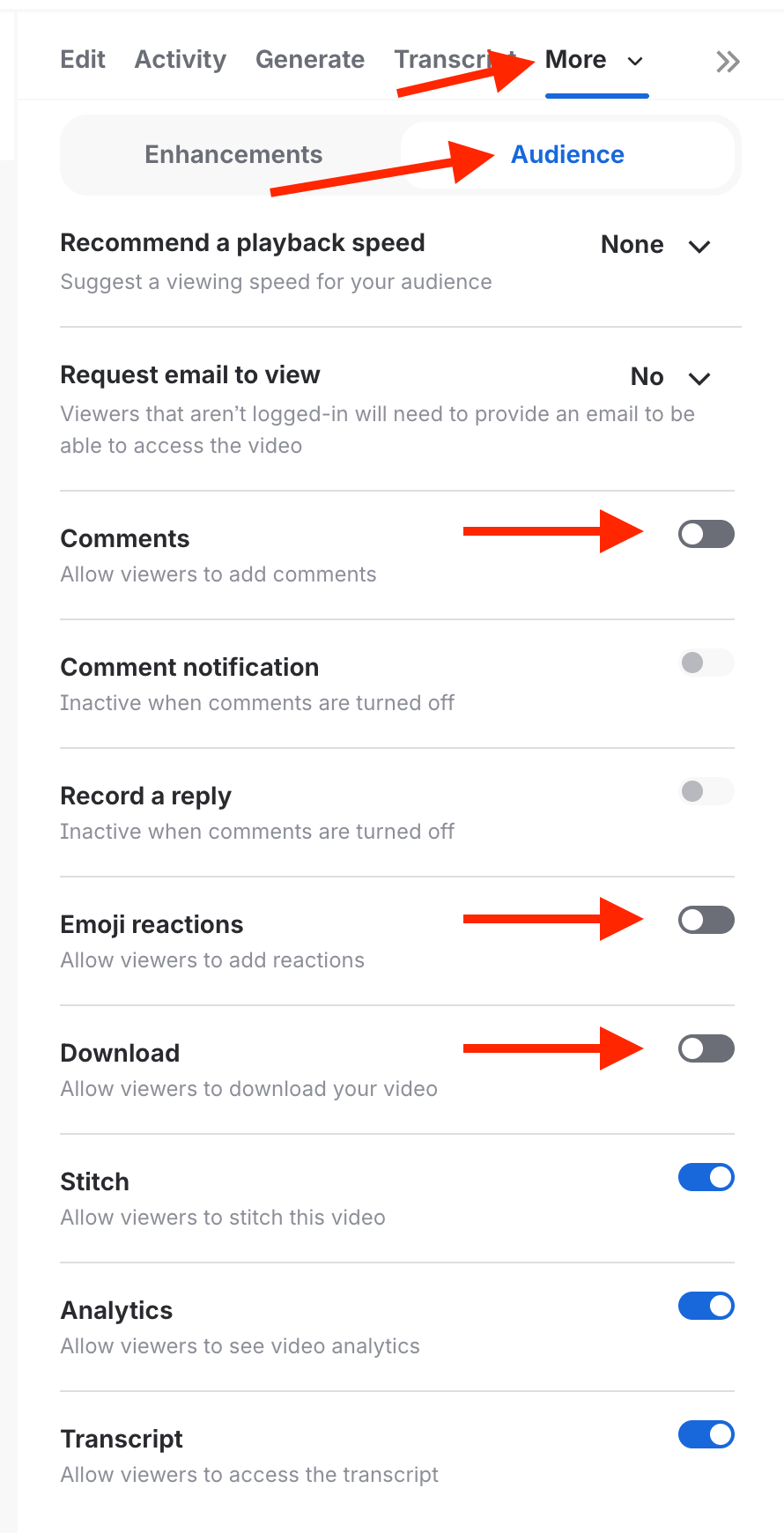
- We recommend toggling off further settings for your videos since they may affect the stream for members on various devices. Navigate to More > Settings > Audience and toggle off comments and emoji reactions.
Note: If Loom videos still aren't playing, we recommend checking two things. If your Loom plan is up to date and the videos do play on the Loom website, and if Loom doesn't have any mentioned outages - https://loom.status.atlassian.com/